
SciMaps guide
AI-assisted Bibliometric Interpretation
Published by SciMaps · Updated
Distinguish computed bibliometric results from generated interpretation, review evidence and understand the supported SciMaps AI workflows.
Separate computed results from generated interpretation
Computed bibliometric results come from the selected records and an analysis method: counts, network links, clusters or other displayed metrics. AI-assisted text is generated interpretation of available analysis context. It can help you formulate questions and draft a synthesis, but fluent prose is not verification of a claim.
Understand the three workflows
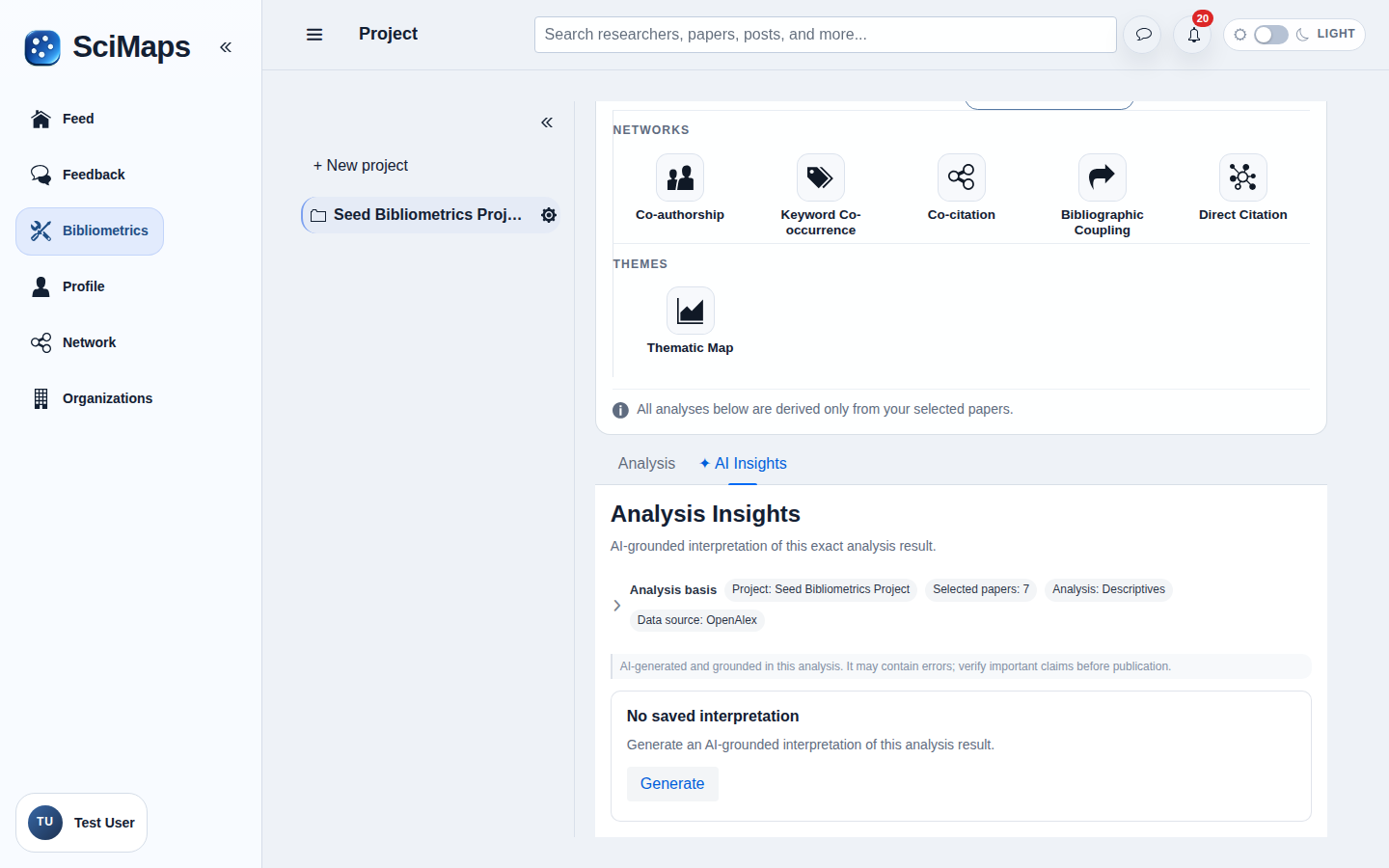
- AI Insights is a tab in supported analyses: Descriptives, Co-authorship, Keyword Co-occurrence, Co-citation, Bibliographic Coupling and Direct Citation. Thematic Map and Trends do not offer this AI Insights tab.
- Selected Paper Insights displays computed research signals. Its Show rationale action provides optional AI context for those signals; it is a separate workflow.
- Research reports can offer optional Analysis Insights in supported report-generation options. Review the actual available options rather than assuming every report has the same AI content.
AI availability depends on the analysis data and configured services. An unavailable or failed generation does not make the computed analysis invalid; review what data and output are actually present.
A practical task sequence
- Define and select the eligible collection, then run a supported analysis.
- Read the computed results, coverage and methodological notes first.
- Open the relevant AI workflow when available. Keep generated statements distinct from observed metrics.
- For each material claim, inspect the underlying records and supporting papers. Verify identifiers and references independently; qualify or remove unsupported statements.
- Review language about causation, quality, novelty and future directions carefully before using a narrative in your own work.
Illustrative example
Suppose a selected keyword analysis shows an “adaptation” cluster. A generated paragraph calls it “the most promising future direction.” The cluster is a computed structural result; the prediction is generated interpretation. A reviewer should inspect the terms, supporting papers, coverage and settings, then remove or qualify the forecast unless independent evidence supports it.
A useful review note could say: “These terms cluster together in the selected collection under the recorded settings; further reading is needed to assess their research implications.” This is an invented review example, not an actual AI response.
Individual research example
A doctoral researcher selects a defined collection of 45 eligible papers, reviews the computed Co-citation network and uses AI Insights to draft reading questions. They check every substantive statement against the records and original papers before writing the literature chapter.
Institutional example
A library team selects a defined collection of 160 topic-and-year-matched publications for a workshop. They review an AI-assisted synthesis against the computed Descriptives and supporting records, documenting coverage and human edits. The output is a scoped discussion aid, not a complete institutional evaluation or an automated judgement of research performance.
Limitations
Generated text may omit context, misstate relationships or produce unsupported claims and references. It does not repair missing metadata or prove a discovery. Protect confidential information and follow your institution's rules before using AI workflows. Record the collection, analysis settings and review decisions so readers can distinguish evidence from interpretation.
References
- NIST (2024), Artificial Intelligence Risk Management Framework: Generative Artificial Intelligence Profile — a framework for reviewing generative-AI risks.
- Hicks and colleagues (2015), The Leiden Manifesto for research metrics — expert judgement and transparent research evaluation.
Related tools
Related guides
Try the workflow in SciMaps
Build a project collection and select the sources for your analysis.
Create an accountCreate your account, then complete verification to start using SciMaps. Already have access? Sign in to SciMaps.